FAQ - Share group with friends
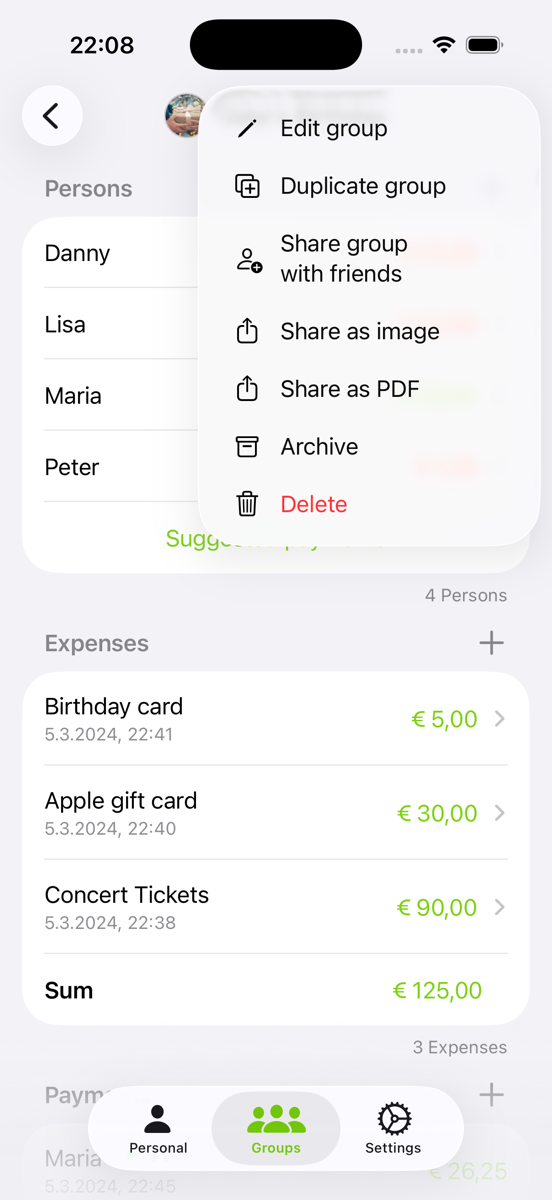
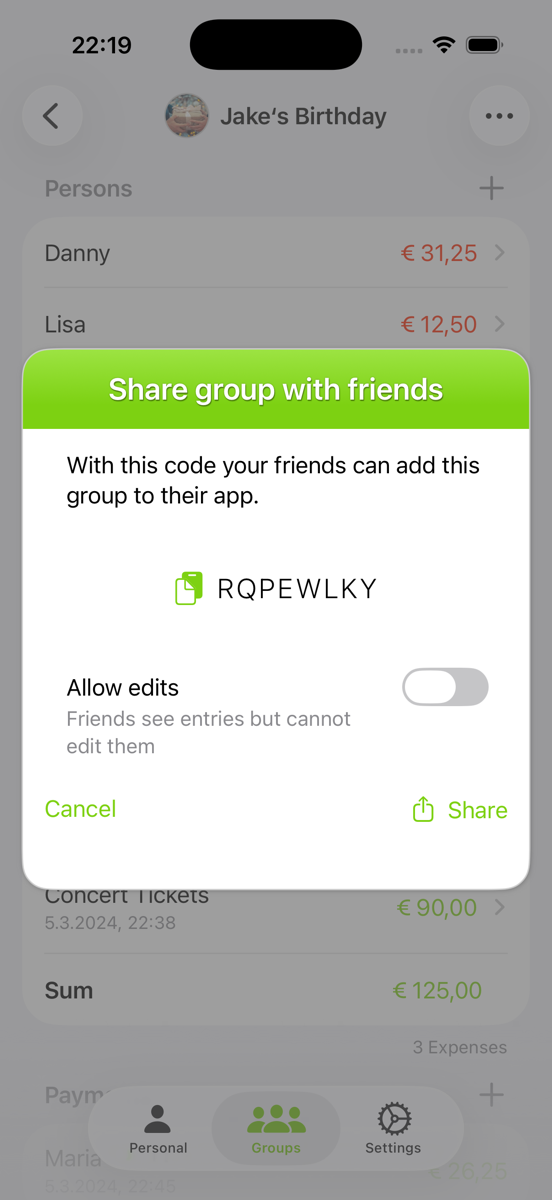
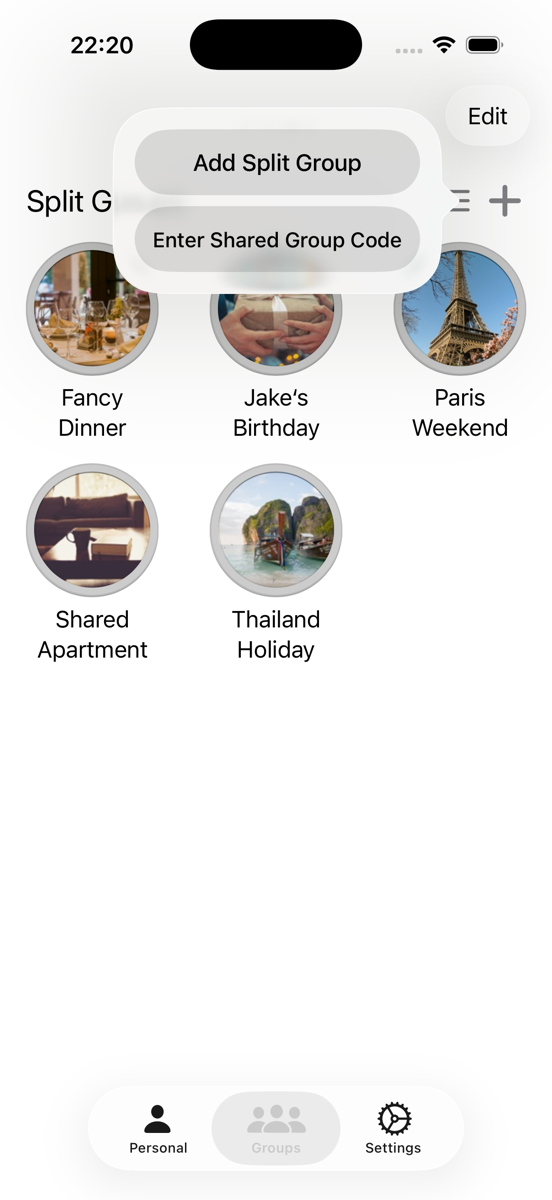
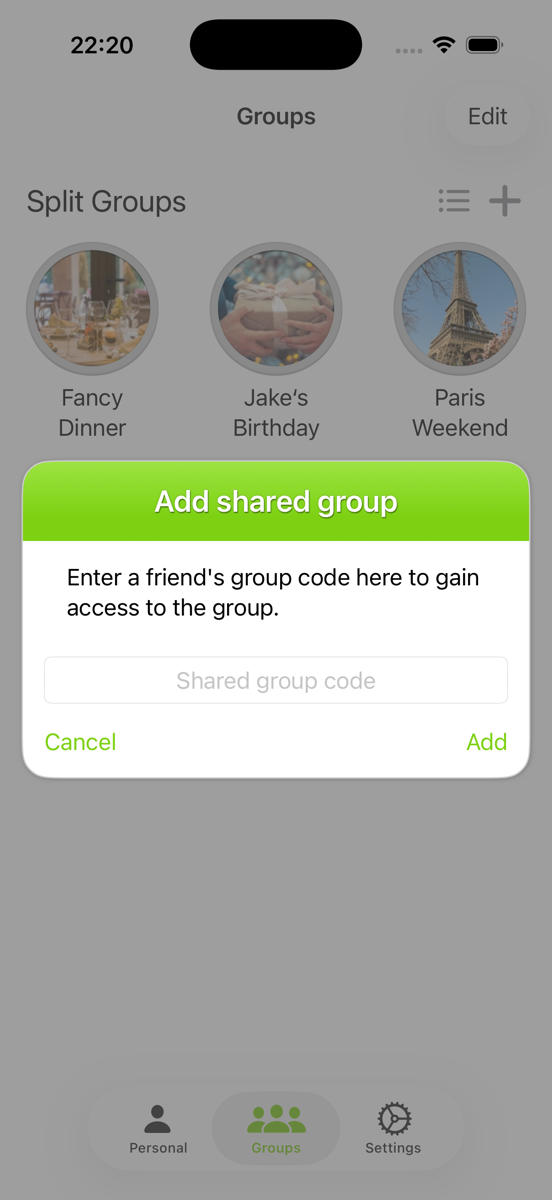
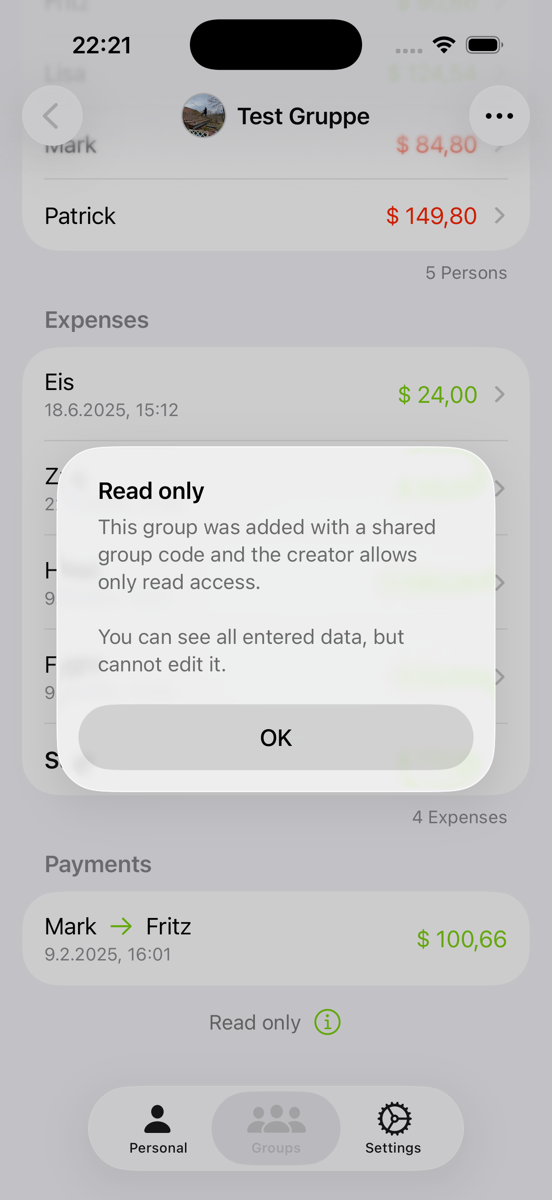
Your friends will need to download the app and then select “Enter Shared Group Code” after tapping the add icon. Once they enter the code, they will be able to see your group. Depending on your selection, they will either have read-only access or the ability to edit and add entries.