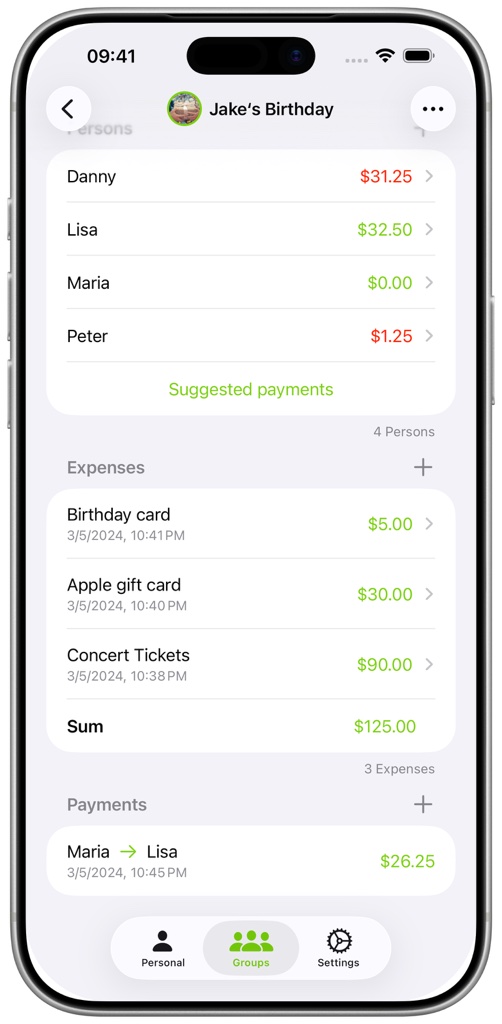
FAQ - How do I add and split an expense?
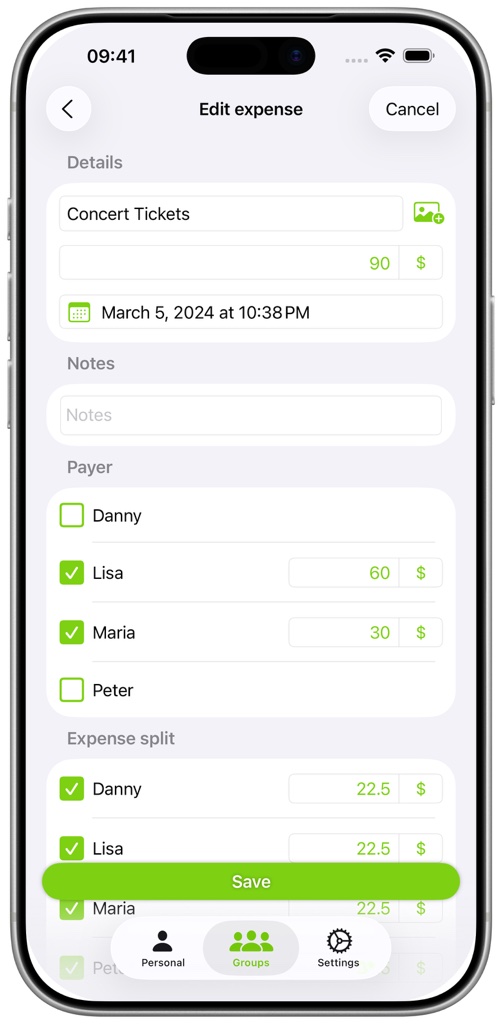
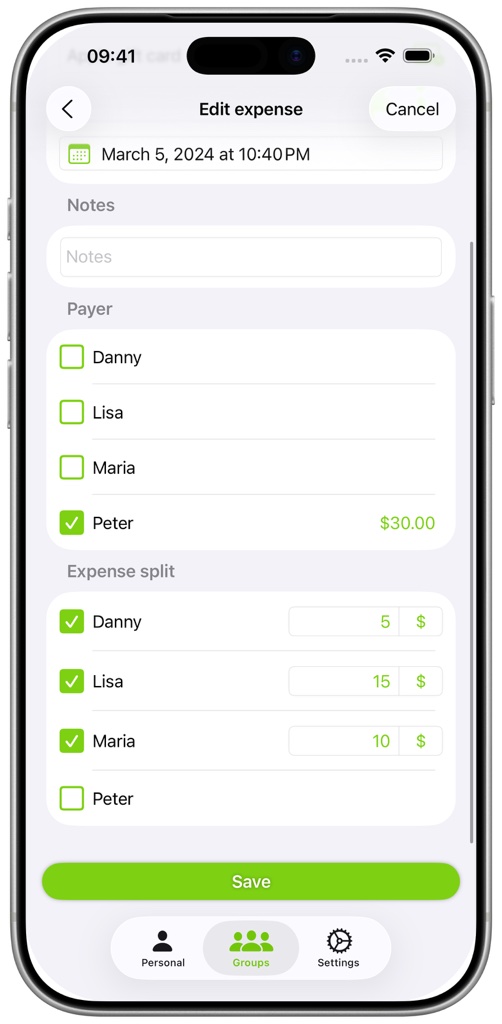
Select who paid the expense. One person can pay everything, or several payers can contribute different amounts. Then select who shares the expense. Split it equally or set a specific amount for each person. The payer total and share total must match the expense amount before it can be saved.