FAQ - How do I set a due date for a debt?
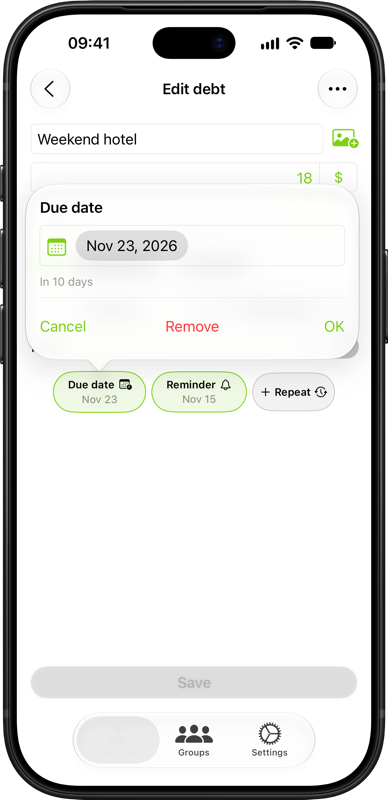
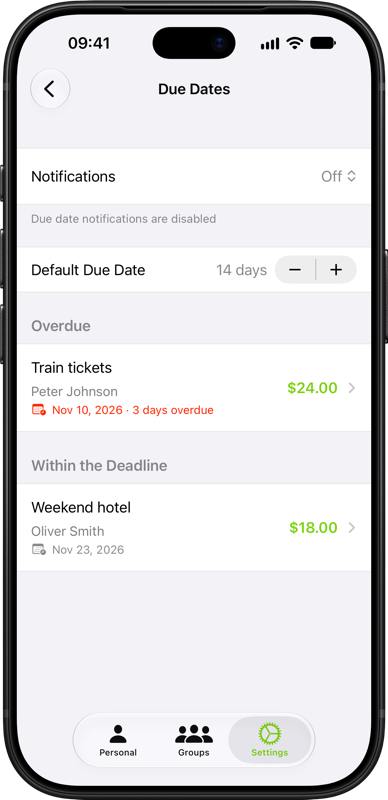
Tap Due date when adding or editing a personal debt. Choose the date by which the payment should be made, tap Add or OK, then save the debt. By default, the app suggests 14 days after the debt date. If that date has already passed, it suggests 14 days from today. You can change this interval under Default Due Date. To change or remove a date, open the same chip again.
Go to Settings → Dates & Schedules → Due Dates to see open debts grouped into Overdue and Within the Deadline. Once you mark a debt as paid, it leaves this list.