FAQ - How do I schedule a reminder for myself?
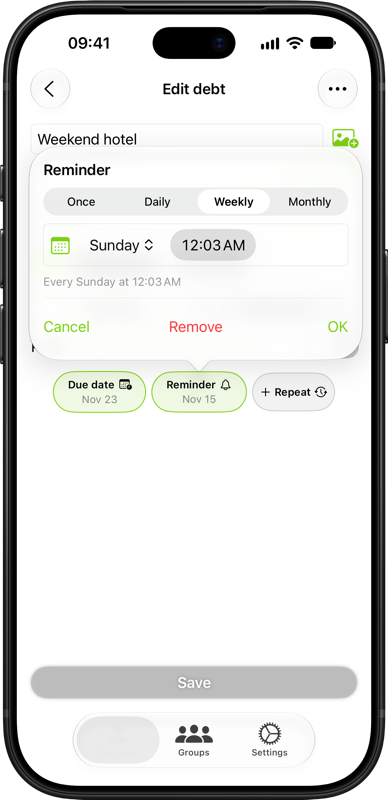
Tap Reminder when adding or editing a personal debt. Choose Once, Daily, Weekly, or Monthly and set the date, weekday, or time shown for that option. Tap Add or OK, then save the debt. To change or cancel a reminder, reopen the same chip.
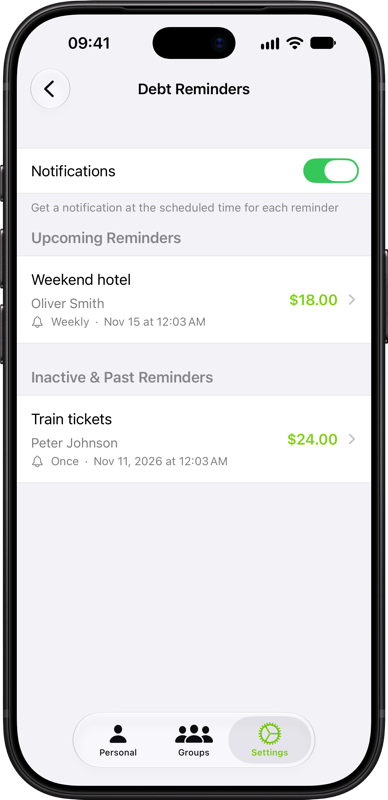
In Settings → Dates & Schedules → Debt Reminders, you can see upcoming reminders and inactive or past reminders, and turn reminder notifications on or off.